shadcn/ui Pro bundles 439 installable React blocks, a code matched Figma kit, 18 themes, an MCP server and 10 Agent Skills for AI editors.
What is shadcn/ui Pro?
shadcn/ui Pro is a commercial add-on for the open source shadcn/ui component collection, packaging 439 ready made blocks, a 56 component Figma kit, 18 themes, an MCP server and 10 Agent Skills behind a single license. The free shadcn/ui library answers the component question with accessible React primitives built on Tailwind CSS, but it leaves the assembly problem untouched. Teams still rebuild the same pricing tables, sign in screens, dashboards, checkout flows and footers on every new project. The Pro tier sells that assembly layer.
The positioning matters. This is not a competing component framework, and it is not a drag and drop page builder. Blocks arrive as source files inside an existing shadcn/ui project through the standard CLI, so the output stays plain React and Tailwind code that the customer owns outright. The audience is correspondingly narrow: freelancers shipping client marketing sites, startups assembling a first product interface, agencies that need design and engineering working from one source of truth, and teams already coding with Cursor, Claude Code or VS Code agents.
Against community kits, the pitch is fidelity rather than volume. The project claims a one to one mirror of shadcn/ui instead of an interpretation of it, adds semantic tokens such as warning and info that real products need, and keeps the Figma file built on native slots instead of legacy workarounds. The vendor reports more than 13,000 designers and developers using the system, with an average rating of 4.9 out of 5 across the review pages. Readers comparing options can browse the full catalogue of blocks to judge whether the coverage actually matches their stack.
Key Features
439 installable blocks spread across 61 categories. The library splits into three families. User interface screens account for 121 blocks including AI chat panels, command menus, dashboards, dialogs, onboarding sequences, sidebars and sign up flows. Landing page sections cover 235 blocks spanning hero, pricing, testimonials, footer, gallery, blog and FAQ patterns. eCommerce contributes 83 blocks for checkout, navbar, filters, product details, product category, product list and order summary. Each one installs with a command such as npx shadcn@latest add @shadcnpro/pricing-01, and 62 blocks are available without any paid plan.
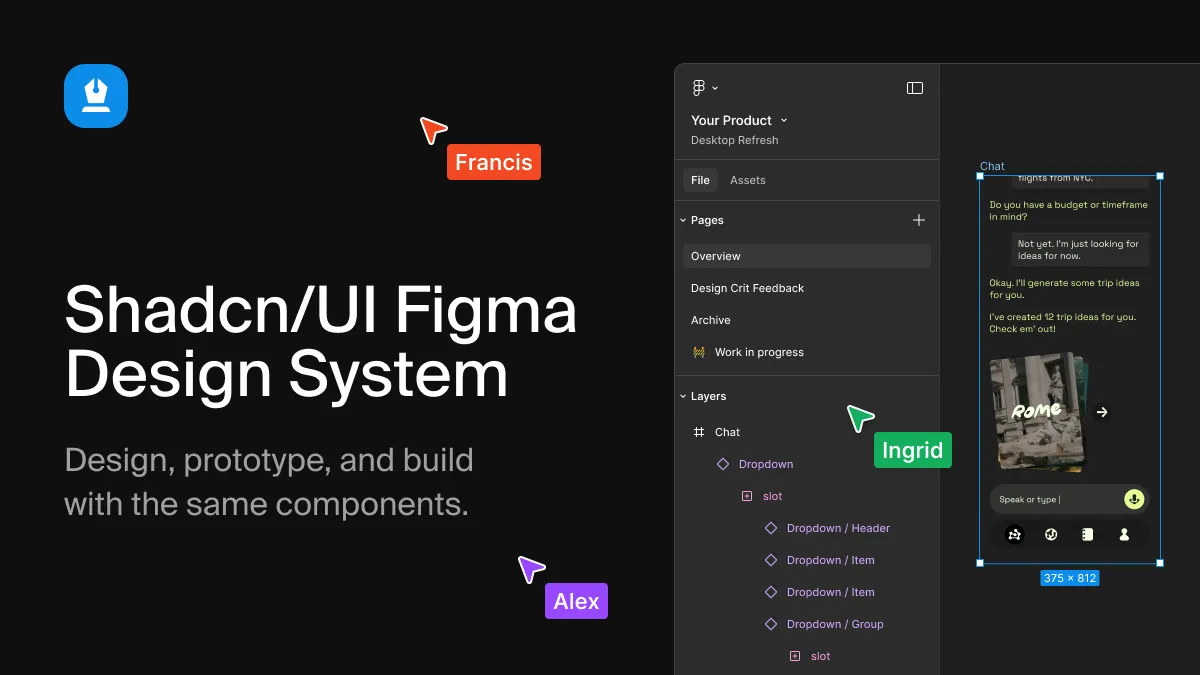
A Figma kit that mirrors the code one to one. All 56 components ship with every variant, size and state, built on Figma variables and auto layout rather than detached shapes. The file supports light and dark modes, eight visual styles and five icon libraries, and the vendor frames the design intent as design and code being the same object rather than two approximations of it. Component pages such as Button, Card, Calendar, Command, Data Table and Field document the slots and states, which is where most community kits quietly diverge from the implementation. More detail lives on the Figma kit page.
Theme builder with 18 curated presets. A live split screen builder toggles between default shadcn/ui and a branded variant, exposes base color swatches and radius steps, and writes the result as :root CSS variables covering primary, ring, radius and chart colors. Themes can be copied by hand or installed with a single CLI command, and every theme applies across the block library and the Figma kit so the two never drift apart.
An MCP server built for agent workflows. The HTTP endpoint at the project domain exposes blocks, themes, Figma references and icons to 20 supported clients, including Claude Code, Cursor, VS Code, Codex, Windsurf and Gemini CLI. Instead of asking a model to invent markup from memory, the agent calls a search_blocks tool, receives matching results, and runs install_block to drop real component files into the repository. Setup is a single claude mcp add style command with a license key header.
10 Agent Skills that encode repeatable procedures. Skills such as /shadcnpro-generate-code, /shadcnpro-import-variables, /shadcnpro-design-screen, /shadcnpro-create-page and /shadcnpro-apply-brand give an editor a script to follow. One converts a Figma frame into project components and installs matching blocks instead of rebuilding them. Another writes Figma variables into a global stylesheet in the color format the stylesheet already uses. A third assembles a full page from blocks, shares navbar and footer across routes, and checks both color modes.
Primitive library coverage. Blocks target React, and the interface layer supports Radix UI, Base UI and React Aria variants. That matters for teams that have standardized on a particular accessibility primitive and cannot swap it out late in a project.
How It Works
The workflow starts with an existing shadcn/ui project, meaning a repository with a components.json file at its root. Teams without one run npx shadcn@latest init first. From there the registry connection is configured once, following the installation documentation, and the project can pull as many blocks as the plan allows.
Day to day usage is deliberately boring. A developer opens a preview of a pricing section, a checkout flow or an onboarding sequence, copies the single install command, and the CLI writes the component files into the repository. Because the result is plain source, editing spacing, swapping icons or rewiring props is normal application work with no runtime package and no license check embedded in the shipped app. That last point is unusual in the paid template market and is the strongest argument in the product's favor.
Designers work in parallel inside the Figma kit, where components, variants and variables map to the same names used in code. When an agent enters the picture, the sequence shortens further: a request for a three tier pricing section triggers a search call, a ranked result list, and an install action that produces components/pricing-03.tsx in the workspace. Themes close the loop, since a brand palette applied through the builder reaches both the React side and the Figma side without a manual audit.
Onboarding friction is modest but real. Nothing works without the registry configuration, and the Figma file is withheld until the first payment clears, so a trial period evaluates the code side thoroughly while leaving the design side untested.
Use Cases
A freelance developer shipping client marketing sites. A solo contractor taking three or four landing page projects a quarter can install a hero, a feature grid, a pricing table, testimonials and a footer in a single working session, then spend the remaining budget on copy and imagery rather than layout plumbing. The unlimited commercial project clause in the licensing terms makes this the clearest fit for the $9 Freelancer tier.
A startup product team building an application shell. A small team needs a dashboard, a sidebar, command menu, dialogs and an onboarding sequence that all look like one product. Pulling matching blocks from the user interface family keeps the visual language consistent without a dedicated design system hire, and the three primitive library variants let the team keep the accessibility base it already trusts.
An agency aligning design and engineering. A studio that hands Figma files to clients and code to developers can present the kit as the deliverable source of truth. Designers build screens in Figma using the same components developers install, and the variables imported into the global stylesheet mean the handoff document is the stylesheet itself. The five seat Agency tier at $19 per month covers a small team comfortably.
A developer working primarily through an AI editor. Someone who codes almost entirely inside Cursor or Claude Code can treat the MCP server as a component search engine that writes files. Asking the agent for a pricing section with three plans returns an installed block rather than a hallucinated approximation, which removes the most common failure mode of AI generated UI work.
Pricing & Value
Three subscription tiers exist, and they differ only in seats and support response time, not in what is included. Freelancer costs $9 per month for one user with 48 hour support. Agency costs $19 per month for up to five users with 24 hour support and carries the most popular label. Enterprise costs $79 per month for unlimited users with 24 hour support. Yearly billing drops those to $72, $144 and $588 respectively. Lifetime licenses are a one time payment of $99, $199 or $799 with no renewals and permanent update access. Every paid tier includes all 439 blocks, all 18 themes, the Figma kit, the MCP server and the 10 Agent Skills.
A seven day trial takes a card but charges nothing until it ends, and cancellation before that point is free. Free access covers 62 blocks plus the full theme builder, which is generous enough to evaluate code quality before committing. The pricing page lists the tiers in full. At $99 for a lifetime single seat, the value case against a week of rebuild time is straightforward, and the seat based structure keeps agency costs low relative to per developer tooling.
Frequently Asked Questions
How much does shadcn/ui Pro cost? Subscriptions run $9, $19 and $79 per month for Freelancer, Agency and Enterprise, or $72, $144 and $588 per year. Lifetime licenses are a one time $99, $199 or $799, and every tier includes the complete product.
Is there a free plan or trial? Yes on both counts. Monthly and yearly plans open with a seven day free trial that charges nothing until it ends, and without any plan users can install 62 blocks and use the theme builder with all 18 presets.
Does it work with Cursor and Claude Code? Both are supported through the MCP server, which also covers VS Code, Codex, Windsurf, Gemini CLI and 14 others for a total of 20 clients. The Agent Skills give those editors structured procedures for turning Figma frames into code and building pages from blocks.
Can blocks be used for client work? Yes. Every plan permits unlimited commercial projects for internal products and client work. Reselling or redistributing the blocks, Figma kit or themes as a template or UI kit is prohibited.
How is this different from the free shadcn/ui library? The open source library supplies components such as buttons, inputs and tables. shadcn/ui Pro supplies what gets built from them: full sections, application screens, a matching Figma file, themes and agent tooling, all installed through the same CLI into a normal project.
Final Verdict
shadcn/ui Pro is a well scoped product that solves a problem the open source ecosystem genuinely leaves open. The free component layer is excellent and stops precisely where assembly begins, and this offering picks up from there with a large, coherently designed block library, an unusually faithful Figma counterpart, and agent tooling that replaces the least reliable part of AI assisted UI work with actual file installation. The licensing terms are also fairer than most premium template shops, since installed code stays in the repository with no runtime dependency and survives the end of a subscription.
The limitations are worth stating plainly. It is a React and Tailwind product, so Vue, Svelte and non Tailwind stacks gain nothing. The Figma kit is locked until the first payment, which means the seven day trial only really evaluates half of the value proposition. And the block catalogue, however large, is a curated set rather than an infinite builder, so teams with very unusual layout needs will still write custom code.
For freelancers, small product teams and agencies already committed to shadcn/ui, the $9 to $19 monthly range is easy to justify against even a single week of saved rebuild time, and the $99 lifetime Freelancer license is the standout entry point. Teams standardized on a different framework should look elsewhere.
Pros & Cons
Pros
- 439 production ready blocks across 61 categories install as editable source files through the standard shadcn CLI, with no runtime package or license check in the shipped app.
- The 56 component Figma kit is built on native variables and auto layout and tracks the code one to one, removing the usual design to development drift.
- An MCP server plus 10 Agent Skills let Cursor, Claude Code and 18 other clients search for and install real blocks instead of generating hallucinated markup.
- 62 blocks and the complete 18 theme builder are usable without a paid plan, making the product easy to evaluate before committing.
- All three tiers include the entire product and differ only in seats and support, with a seven day free trial and lifetime licenses starting at $99.
Cons
- The Figma kit, MCP server and most of the block library require a paid license, so it does not replace the free open source shadcn/ui components.
- It is tied to React and Tailwind CSS, leaving Vue, Svelte and non Tailwind stacks without any benefit.
- The Figma kit is withheld until the first payment, so a seven day trial cannot fully test the design half of the product.