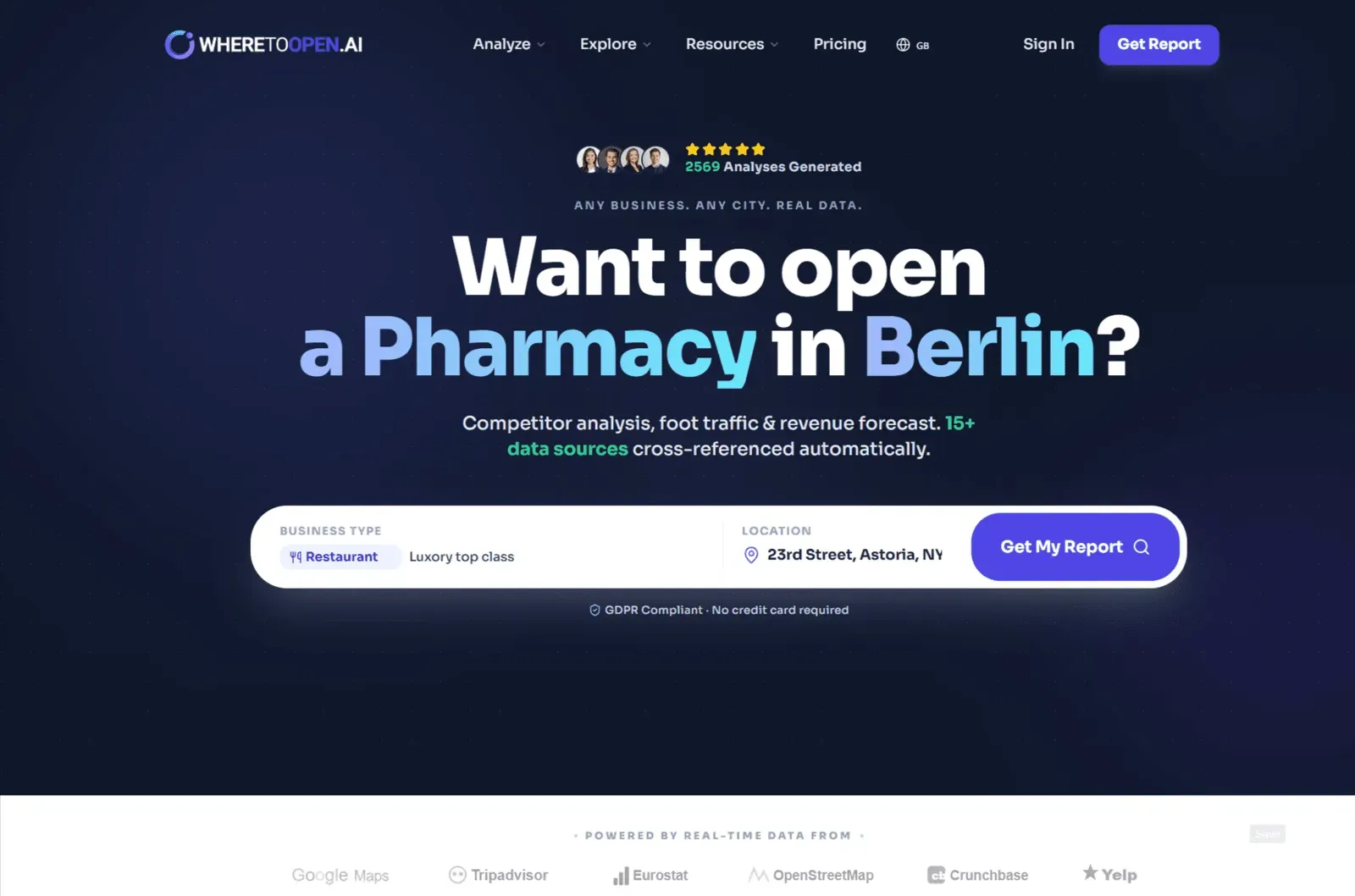
WhereToOpen.ai is an AI site selection tool that provides location intelligence, competitor analysis, and revenue forecasts in 60 seconds.
What is WhereToOpen.ai?
WhereToOpen.ai is an AI-driven site selection and location intelligence platform that gives small and medium business owners a data-backed answer to the question "where should I open my business?". The tool generates a comprehensive market report for any address worldwide, combining foot traffic analysis, competitor benchmarking, demographic profiling, and revenue forecasting into one deliverable. Built specifically for entrepreneurs who are about to sign a lease, it replaces the traditional method of driving around, counting footfall, and manually studying competitor spreadsheets. The platform is positioned as a modern alternative to enterprise-grade tools like Placer.ai or Esri Business Analyst, but with a self-service, affordable model starting at €99 per report.
The core value proposition is speed: a full site selection analysis is delivered in less than 60 seconds. For a prospective business owner, that means the difference between making a decision on a hunch versus making a decision backed by 15+ live data sources, across demand, competition, and demographics.
Key Features
Location Scoring The platform calculates a location score from 1 to 100 based on foot traffic, accessibility, walkability, and surrounding demand. The score is visualized as a circular gauge and is accompanied by a qualitative label (e.g., "High Potential"). The underlying data is pulled from sources like Google Maps and OpenStreetMap, and it updates in real time to reflect current market conditions.
Competitor Marketplace Analysis For any chosen address, the tool identifies all competitors within a customizable radius and presents them in a ranked list. Each competitor entry includes their exact location, Google rating, price range, opening hours, and a sentiment score derived from review content. The interface also shows relative scores (e.g., Competitor A: 92, Competitor B: 78) so users can quickly see market leaders and underperformers.
Revenue and Cost Modeling The financial module generates a 24-month cashflow projection with three scenarios: conservative, base, and optimistic. It includes startup costs, operating expenses, and revenue assumptions based on the specific business type and location. A break-even timeline is calculated and displayed alongside the projection, making it easy to gauge how many months until the investment is recovered.
Customer Persona Generation Based on the local demographics and spending patterns, the AI creates representative personas like "Maria, 32, Nurse, spends €15-40 per visit" and "David, 28, Developer, spends €30-70". These personas help the entrepreneur visualize who will walk through the door and tailor their menu, pricing, and marketing accordingly.
Strategic Action Plan Every report ends with a prioritized list of actionable steps, each scored by its predicted impact. The action plan uses P1, P2, P3 labels and progress bars, turning raw data into a clear sequence of moves: secure the location, build a supplier network, launch a loyalty program, and so on. This is arguably the most differentiating feature, as it goes beyond analysis into execution planning.
PDF Export and Sharing Reports are designed to be presented to stakeholders. A single click exports a polished, multi-page PDF that includes all charts, tables, and insights. The export also supports a shareable link, and the dashboard shows a "PDF · Share · Embed" control, indicating the report can be embedded in other contexts.
How It Works
The user starts on the homepage, where the main interface is an inline form that asks for two inputs: business type and location. The business type field is pre-populated with examples like "restaurant" or "bar", while the location field accepts a city, an area, or a specific street address. After submitting "Get My Report", the AI engine begins a real-time analysis that cross-references Google Maps competitor data, review sentiment from platforms like Yelp and TripAdvisor, demographic statistics from Eurostat, and other sources. The entire process takes under 60 seconds, after which a comprehensive report is generated.
A key entry point is the "Get Your Location Health Score" widget, which offers a free, instant score without requiring signup. Users simply enter an address and a business type to receive a 1-100 viability score across demand, competition, and demographics. This acts as a low-friction way to test the platform before committing to a paid report.
Once a user purchases a plan (Starter, Standard, or Pro), they can run multiple reports and track them in a personal dashboard. The dashboard lists all analyses, allows for location comparison, and stores generated PDFs. The pricing structure is simple: €99 for a single report, €249 for three, and €790 for ten, with the top two tiers offering discounts per report.
Use Cases
A restaurant group evaluating a second location in London uses the competitor analysis to see that the target area has 15 restaurants with an average rating of 4.6. The revenue forecast shows a break-even at 8 months under the base scenario, and the action plan recommends focusing on a specialty coffee niche to differentiate. The founder launches a café concept and sees a 25% revenue uplift compared to the average market performance.
A boutique fitness studio owner in Dubai is about to sign an €80,000 lease on a space with great rent but no evening foot traffic. The report's foot traffic data reveals that the area dies after 7pm, making it a poor fit for a gym. The owner uses this insight to reject the lease and instead picks a location where the model predicts 340 members in year one and a four-month ROI.
An independent hair salon owner in Rome uses the customer persona feature to identify that the neighborhood has a high proportion of middle-to-high-income professionals. With competitor pricing intelligence in hand, she positions her salon as a premium service provider, pricing 15% above market average. The result is a 35% increase in profit margin and break-even in just two months.
Frequently Asked Questions
Is WhereToOpen.ai really free to use? There is a free location health score that can be used without an account, but full reports are paid. Pricing starts at €99 per report, with discounted bundles at €249 and €790.
How does the platform get its data? It sources data from 15+ public and private APIs, including Google Maps, Yelp, TripAdvisor, Eurostat, and Crunchbase. All metrics are linked back to verifiable data points, and the report lists which sources were used.
Can I compare multiple locations? Yes. The Standard plan and Pro plan include the ability to compare up to three locations side by side, which is a core feature for site selection.
What types of businesses are supported? The current version supports over 15 business categories, including restaurant, bar, pizzeria, hair salon, gym, coffee shop, bakery, and hotel. Custom business types are also accepted in the analysis form.
Does the report include information for investors? Yes, the PDF export is designed to be investor-ready, containing full financial projections, market analysis, and a strategic action plan that can be presented to lenders or partners.
Pros & Cons
Pros
- Generates a full site selection report in under 60 seconds, replacing weeks of manual research.
- Aggregates live data from 15+ sources including Google Maps, Yelp, TripAdvisor, and Eurostat for real-time accuracy.
- Offers a free, no-signup Location Health Score that gives an immediate 1-100 viability rating for any address.
- Includes 3-scenario financial modeling with revenue forecasts and break-even timelines to support investment decisions.
- Delivers investor-ready PDF reports that can be easily shared with partners, lenders, or stakeholders.
Cons
- Pay-per-report pricing starts at €99, which might be prohibitive for solo entrepreneurs exploring multiple locations.
- The tool covers 15+ business categories, but niche or very specific industries may not be supported yet.
- No public API or integration with external tools like Zapier or Slack, limiting workflow automation options.