Light Cloud lets developers deploy web apps from GitHub with static hosting, containers, and managed Postgres on one platform.
What is Light Cloud?
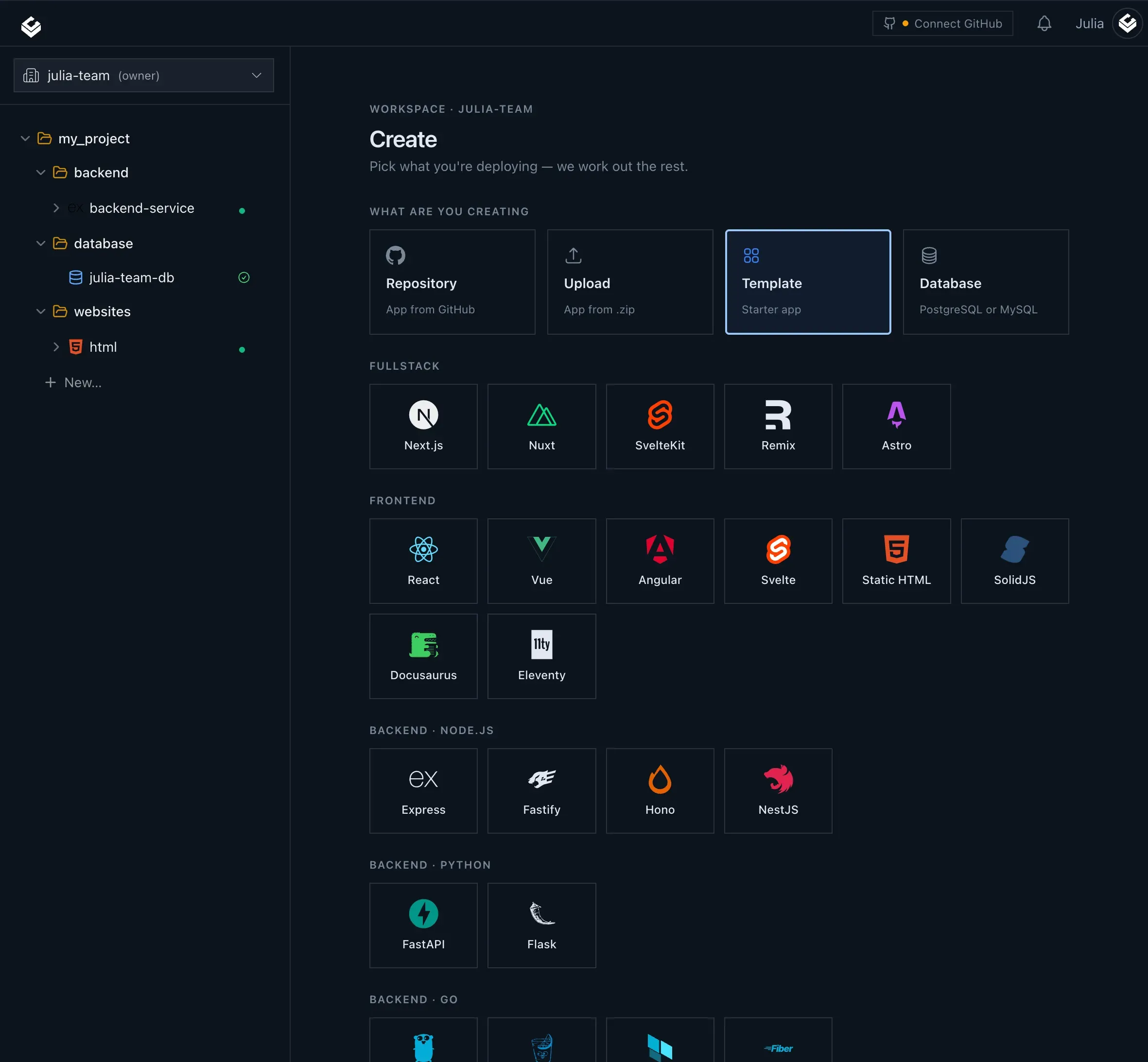
Light Cloud is a deployment and hosting platform that transforms a GitHub repository into a live application by automatically orchestrating static site delivery, container execution, and managed Postgres databases within one workflow. Rather than forcing developers to assemble a toolchain from separate providers, Light Cloud attempts to be the single destination for pushing code and watching it ship. The platform has been designed for developers who need fast feedback loops, automatic preview environments, and zero configuration deployments. The key value proposition is straightforward: connect a repository, push to GitHub, and receive a live URL in seconds. Behind that simple promise sits a more sophisticated system that detects the project type, selects the appropriate runtime, provisions supporting services, and exposes the whole lifecycle through a web console and an AI compatible interface.
The market for deployment platforms is crowded, but Light Cloud carves out a distinct position by combining the convenience of frontend hosting platforms like Vercel and Netlify with backend container support and a native relational database. Many developers end up using Vercel for the frontend, Heroku or Render for the backend, and a separate managed database provider, which creates friction around billing, environment variables, and deployment coordination. Light Cloud collapses those layers into a single project structure. Static assets are served from a global CDN, backend containers run on Cloud Run and can scale down to zero when idle, and Postgres databases are provisioned with encrypted credentials automatically injected into the application. This full stack approach is a meaningful advantage for small teams that want to move fast without building a platform engineering discipline.
Another dimension of Light Cloud's identity is its embrace of AI assisted development. The platform ships an MCP server that allows Claude to create apps, deploy, and inspect logs through natural conversation. A VS Code extension brings similar capabilities to GitHub Copilot, with slash commands like /deploy, /status, and /plan. The system also performs framework detection and .env parsing, so AI agents can work with a project safely without exposing secrets. This design recognizes that coding is increasingly happening inside chat interfaces and AI aware editors, and deployment should be accessible from those same surfaces. Light Cloud is not simply a hosting company that added an AI chatbot on top; the AI integrations are wired into the core deployment lifecycle.
The company also maintains an open source lab called ICE, a visual cloud editor that allows users to design infrastructure on a canvas, preview cost, and deploy to their own cloud accounts. ICE is licensed under Apache 2.0 and includes reusable blocks and templates. This open source effort gives Light Cloud credibility with developers who care about vendor lock in, because it demonstrates a willingness to share tooling and encourage community contribution. ICE is not required to use the main platform, but it expands the company's reach into infrastructure design for multi cloud scenarios. Together, the hosted platform and the open source lab make Light Cloud a more complete offering than the typical zero config host.
Key Features
The feature set of Light Cloud is broad enough to support a range of application architectures, and each feature is designed to reduce operational burden.
Automatic framework detection and target selection: When a developer connects a repository, Light Cloud scans the project structure to identify the language, build tooling, and application type. Based on this analysis, it routes static sites to a global content delivery network and containerized services to Cloud Run. This means a plain HTML site, a React application, or a Node backend can all be deployed without the developer manually selecting a runtime or writing a Dockerfile. The detection logic also informs environment variable handling and build commands, eliminating the most common source of deployment failure for newcomers.
Full stack hosting with managed Postgres: The platform does more than serve HTML. Developers can provision a managed Postgres database from the same project workspace, choosing the tier, region, and storage size that fits the workload. Light Cloud encrypts the database credentials and wires them directly into the application environment. This removes the need to use a separate database vendor or manually manage connection strings. For a typical CRUD application, the setup time from repository to a working full stack app can be measured in minutes.
Preview environments for every branch: Light Cloud creates a unique URL for each branch and pull request, builds the branch on every push, and destroys the preview when the branch is deleted. This feature is particularly useful for teams that practice trunk based development and want to review running code before merging. Because previews run on Cloud Run and scale to zero, they do not consume resources when nobody is accessing them. The economic model encourages creating previews freely, in contrast to traditional staging environments that may be expensive to keep online.
AI deployment through MCP server and GitHub Copilot: The MCP server is a protocol based integration that lets Claude interact with Light Cloud. A user can ask Claude to create an app from a template, push the initial code, trigger a deployment, and then read build or runtime logs. The VS Code extension adds @lightcloud to GitHub Copilot, supporting commands such as /deploy, /status, and /plan. Framework detection and .env parsing happen automatically, so the AI assistant is not exposed to raw secrets. This feature is likely to appeal to developers building agentic workflows, and Light Cloud maintains a dedicated AI deployment overview for those who want to explore it in depth.
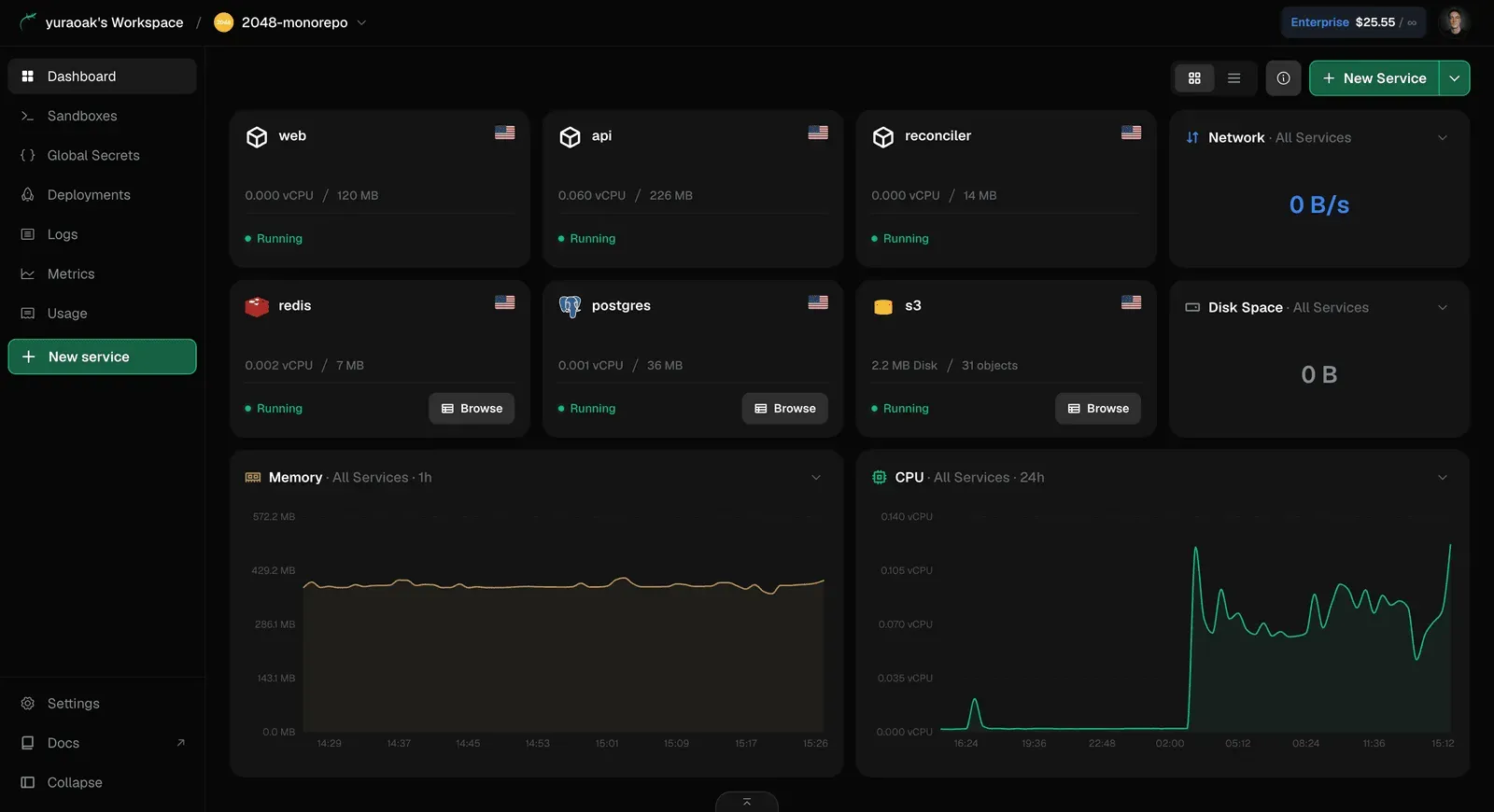
Integrated observability and logs: The console shows build streams in real time, and the running service logs are presented in the same context as the environment. Metrics are also available, giving developers a view of request counts, latency, and resource usage without requiring a separate monitoring tool. This is especially valuable for containerized apps, where debugging often requires a combination of build details, runtime logs, and performance data. Having all of it in one place reduces the cognitive load of diagnosing issues.
Open source ICE visual cloud editor: ICE is a visual canvas where developers can design cloud infrastructure, see a cost forecast, and deploy to their own AWS or Google Cloud accounts. The project includes blocks and templates that can be combined to model common architectures. Since ICE is Apache 2.0, it can be self hosted or modified, which offers flexibility beyond the hosted Light Cloud platform. ICE is positioned as a Labs project, so it may evolve quickly, but it already demonstrates a serious commitment to open tooling.
How It Works
The user journey starts with a GitHub authentication and repository selection. A developer signs up for Light Cloud, creates a project, and connects a GitHub repository. Light Cloud runs an initial analysis of the codebase, checking for markers like the presence of a frontend build framework, a Node server, a Dockerfile, or a specific language runtime. This analysis determines whether the application will be delivered as static files from the CDN or as a container running on Cloud Run. For most frameworks, no additional configuration is required. The developer can press deploy, and the first build starts immediately. For a closer look at how builds are tracked and organized, the deployment overview on the main site explains the pipeline in more detail.
After the first deployment, the project dashboard shows the commit, the build status, and the live URL. Any subsequent push to the connected branch triggers a new build and deployment automatically. If the developer creates a new branch, Light Cloud generates a unique preview URL. The preview is rebuilt on every push and removed when the branch is deleted, aligning deployment state with the Git history. Production traffic continues to be served by the default branch, isolated from experimental changes.
Adding a database is a matter of selecting a managed Postgres instance from the same project. The developer specifies the tier, region, and storage size. Light Cloud then provisions the database and injects the connection credentials into the application's environment. The running application can connect immediately. The database is included in the project's resource list, and its metrics are visible alongside the application logs.
For developers who want to avoid the dashboard, the AI workflow takes over. With the MCP server, a developer enters a conversation with Claude and asks for a deployment. Claude can interact with Light Cloud's public API to create a project, push code to GitHub, and wait for the build to finish. Once deployed, Claude can respond with the live URL and even pull recent logs if there are errors. The VS Code extension mirrors this functionality inside the editor, so a developer can simply type /deploy and let GitHub Copilot invoke the action. This reduces context switching and makes deployment an extension of the coding session.
Use Cases
Solo developer shipping a side project to production: Independent developers often want the fastest path from idea to a deployed URL. Light Cloud lets a solo builder connect a GitHub repository, add a small Postgres database, and get a live app without managing a VPS or learning Kubernetes. The free tier absorbs initial costs, and preview environments allow the founder to test a marketing page or a dashboard before releasing it to users.
Startup team managing a monorepo with multiple services: A team of eight engineers might have a monorepo containing a Next.js frontend, a Go API, and a shared package. Light Cloud can handle the frontend as a static site and the API as a container, with a managed Postgres instance used by both. Branch previews ensure that every pull request is tested in a realistic environment. The ability to scale down idle containers keeps the monthly cost low while still providing the flexibility to spike during traffic bursts.
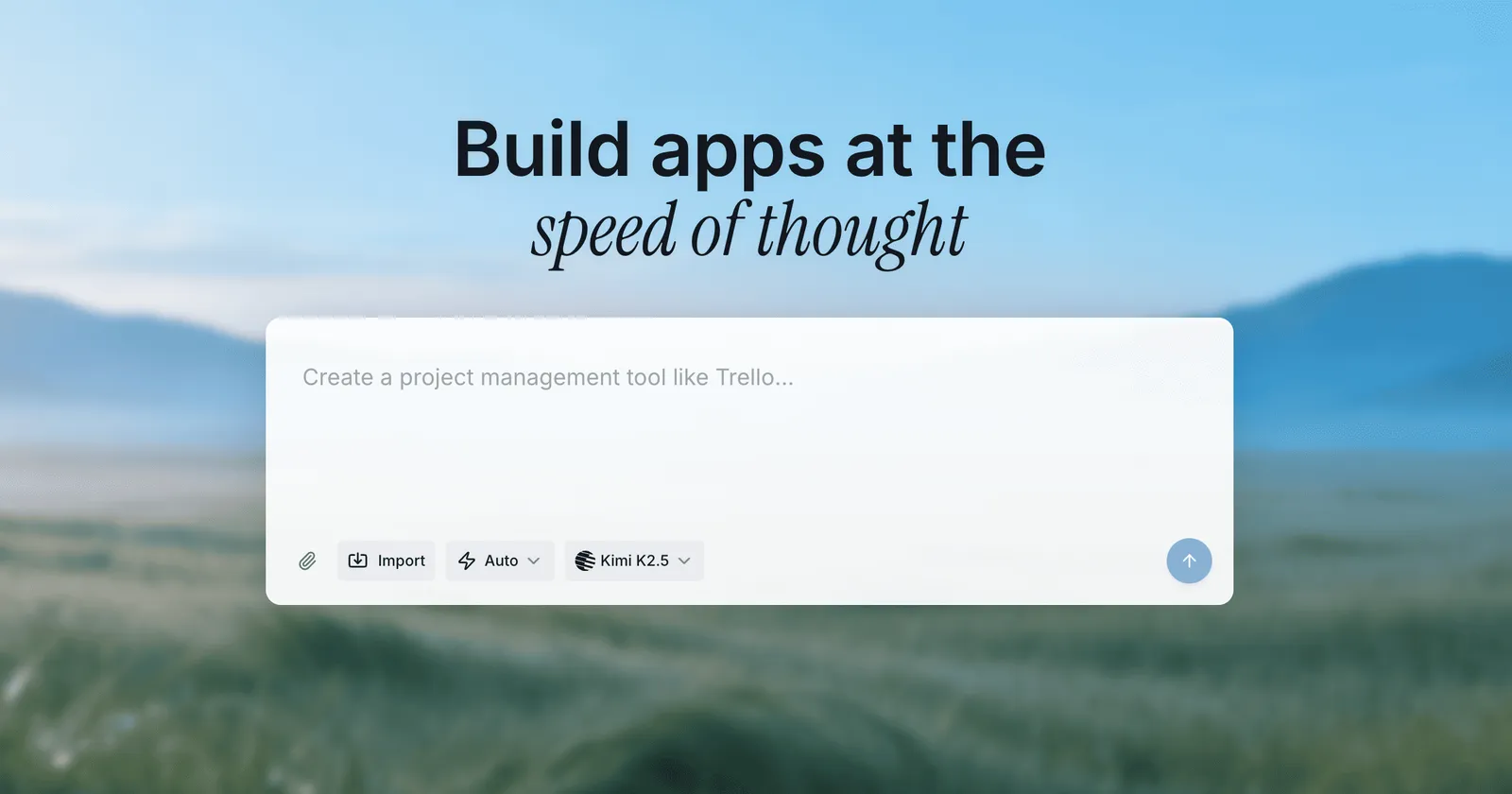
AI developer building agentic workflows: As AI assistants become more capable, developers are experimenting with autonomous coding agents. Light Cloud is well suited for these experiments because its MCP server allows Claude or another agent to provision infrastructure, deploy code, and debug failures without human intervention. A developer can create a prompt such as "build a URL shortener, deploy it, and give me the link" and let the agent handle the entire process. This opens up new possibilities for rapid prototyping and even fully automated product generation.
Infrastructure tinkerers using the ICE visual editor: Users who enjoy designing cloud architectures can open ICE, drag blocks onto a canvas, and model a system that spans compute, storage, and networking. Light Cloud's cost prediction provides an estimate before deployment. After saving the design, the user can deploy to their own AWS or Google Cloud account. This workflow appeals to developers who want the visual clarity of a diagram combined with the power of real infrastructure as code.
Pricing & Value
The exact pricing structure is not fully visible on the landing page, but Light Cloud clearly markets a Free plan and encourages users to start with no upfront commitment. The pricing page likely outlines free tier limits, paid plan features, and usage based costs. The economic model behind the platform centers on the fact that containers scale to zero when idle. This means an application that receives little traffic can be hosted at a very low cost, since compute resources are only billed when requests are actually being processed. Static site delivery through a CDN is also inexpensive. The managed Postgres component is a separate line item, and database pricing will depend on the selected tier and storage size.
For small teams, the value is tangible. Instead of paying for a frontend host, a backend host, a database service, and a CI tool, the bulk of those costs move into a single account. The time savings are even more valuable for early stage companies, because setup is measured in minutes rather than days. The AI deployment features may not directly reduce hosting costs, but they can improve developer productivity by allowing routine operations to be triggered without leaving a chat interface. Teams with existing infrastructure investment may find the platform too abstract, particularly if they need to run workloads that do not fit neatly into the static or container model. That said, for modern web applications built on standard frameworks, Light Cloud offers an attractive balance of convenience and predictability.
Frequently Asked Questions
Does Light Cloud have a free plan? Yes, the website shows a Free plan and encourages new users to create an account and deploy their first application. The free tier is the standard entry point, and more details can be found on the pricing page.
Can Light Cloud host both frontend and backend? Light Cloud detects the type of application in a repository and can serve static sites from a CDN or run containers on Cloud Run. A managed Postgres database can be provisioned alongside either type, enabling full stack hosting in a single project.
How do preview environments work? Every GitHub branch and pull request receives a unique URL that is rebuilt on each push. The preview is removed when the branch is deleted. Because previews run on Cloud Run and scale to zero, they do not accrue charges when no one is accessing them.
What AI tools can I use with Light Cloud? Light Cloud provides an MCP server for Claude and a VS Code extension for GitHub Copilot. Through these tools, users can deploy, check status, and read logs by issuing natural language commands. The platform handles framework detection and .env parsing to keep secrets safe.
Is the platform open source? The core Light Cloud hosting product is a commercial service, but the Labs project ICE is fully open source under Apache 2.0. ICE, its blocks, and its templates are available on GitHub, allowing developers to self host and modify the visual editor.
Final Verdict
Light Cloud is a thoughtfully designed deployment platform that understands the way modern developers work. The combination of automatic framework detection, full stack hosting, per branch previews, and AI friendly deployment integrations makes it a strong candidate for anyone who wants to move from a local repository to a live URL as quickly as possible. The managed Postgres integration is a genuine differentiator, and the scale to zero model ensures that experimentation does not lead to runaway cloud bills. The open source ICE project adds a layer of credibility and flexibility that feels rare in this category.
Still, the platform has limitations. It is still maturing, and some features are flagged as Labs experiments, which is a signal that production users should expect occasional changes. The landing page withholds pricing details, making it harder to evaluate long term costs without signing up and exploring. Developers who require fine grained control over their cloud infrastructure or who need to use specialized services outside the static site and container model may find Light Cloud too constrained. Nevertheless, for small teams, startups, and AI oriented builders, Light Cloud represents a modern and efficient way to ship software. The best test is simply to push a repository and see how quickly the application comes to life.
Pros & Cons
Pros
- Light Cloud automatically detects whether a repository is a static site or a container workload and routes it to the appropriate global CDN or Cloud Run environment without manual configuration.
- Every branch and pull request receives a unique preview URL that is rebuilt on each push and automatically removed when the branch is deleted, enabling safe and low cost collaboration.
- Managed Postgres databases can be provisioned from the same project with encrypted credentials automatically wired into the application, eliminating the need for separate database setup.
- The built-in MCP server and GitHub Copilot extension allow Claude or Copilot to create apps, deploy, and read logs directly from a conversation, turning chat into a deployment interface.
- Idle containers scale to zero and stop billing, so preview environments and low traffic applications effectively cost nothing when inactive.
Cons
- The platform is still evolving, and some components like ICE are positioned as Labs projects, which may signal less stability for production-critical workflows.
- Detailed pricing information is not fully disclosed on the landing page, making it harder to evaluate long term costs without visiting the pricing page or creating an account.
- Developers who need fine grained control over cloud infrastructure or specialized services outside the static site and container model may find the platform too abstract.