Learn Excel online by doing with ExcelForAll, an interactive course of 84 hands-on spreadsheet exercises with instant formula feedback and a verifiable certificate.
What is ExcelForAll?
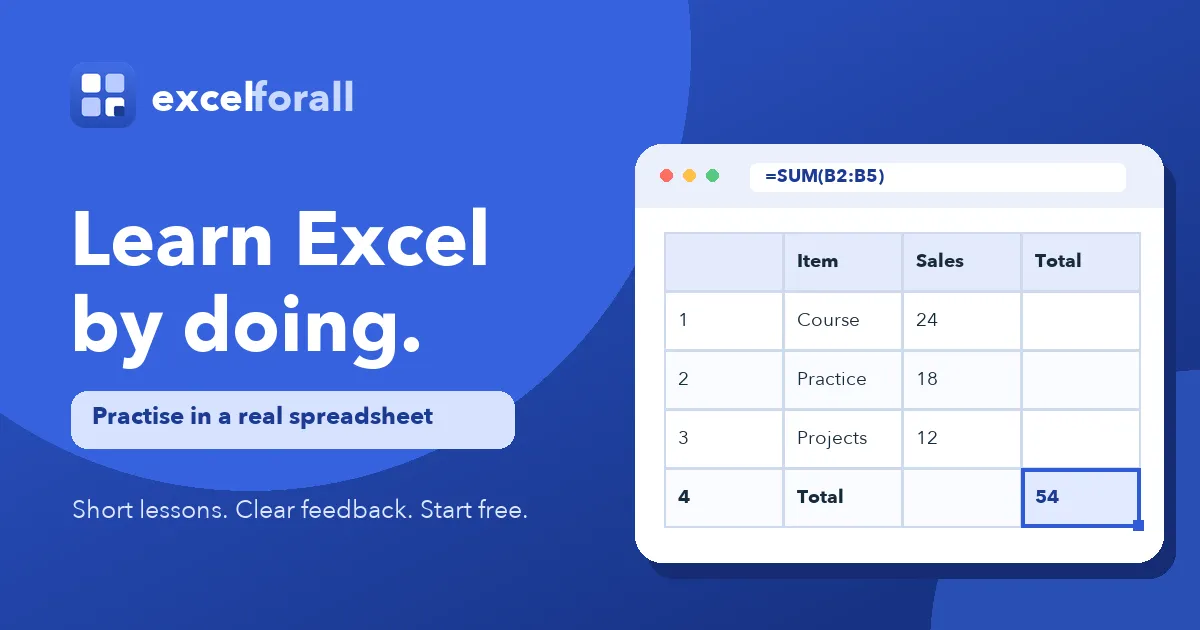
ExcelForAll is a browser-based Excel training platform that teaches spreadsheet skills through 84 hands-on exercises completed inside a working spreadsheet engine rather than through video lectures. The product addresses a familiar gap in online software education: passive watching rarely produces fluency with formulas, ranges and references. ExcelForAll instead asks learners to type the actual formula, press Enter, and receive immediate feedback on whether the method was correct. It is built for absolute beginners who have never selected a cell as well as for intermediate users who want to tighten their grasp of lookups, logical functions, charts and practical data work.
The site positions itself deliberately against the video course model, describing its offering as a practice grid rather than a lecture library. Exercises are short, typically between two and eight minutes, and the course splits into 17 parts covering everything from Excel Basics and Cells and Ranges through SUM and AVERAGE, Cell References, IF and Logic, COUNTIF and SUMIF, Text Functions, Lookup Functions, Charts and Practical Challenges. The full path represents roughly seven hours of active practice.
Key Features
- Method-based answer checking. The grader reads the formula stored in the cell, not just the resulting number. Typing a correct total by hand into a SUM exercise is marked wrong because the range reference is missing, which forces learners to internalise the underlying logic instead of guessing outputs.
- Pre-written explanations for common mistakes. Each likely error has an explanation authored in advance by a person, so a formula pointing at the wrong range is named as such rather than flagged as simply incorrect. Hints are released one at a time and a worked answer is available when needed.
- A real spreadsheet in the browser. No download or Microsoft Excel licence is required. Learners click cells, enter formulas, press Enter and watch the grid calculate, mirroring the behaviour of Excel while running entirely in the browser.
- 84 exercises across 17 structured parts. The curriculum starts with clicking a single cell and typing into it, moves on to naming that cell, and only then introduces formulas, which are printed in full for copying before any are written from scratch.
- Progress tracking and a verifiable certificate. Progress follows an account across machines, and completing all 84 exercises unlocks a certificate in the learner's name with a public link for independent verification, at no separate certificate fee.
- Free written guides and a searchable course index. Nine standalone guides answer single questions such as shortcut lists, duplicate removal and percentage increase formulas, while a search field lets users jump directly to a skill rather than following the teaching order.
Use Cases
A career changer entering an operations or finance role can work through the early parts during short breaks, building enough formula confidence to handle weekly reporting tasks within a few weeks of practice. An existing spreadsheet user who relies on manual totalling can target the SUM, AVERAGE and Cell References parts directly, skipping the basics and addressing the specific habits that slow down routine work. A team lead onboarding junior staff can point new hires at the free exercises and the verifiable certificate as a lightweight benchmark of practical competence, without purchasing enterprise licences for Microsoft Excel itself.
Frequently Asked Questions
Is ExcelForAll free to use? Nineteen exercises require no account or card, including examples linked from the written guides, while a free account extends access to 46 of the 84 exercises and saves progress across devices.
Does a learner need Microsoft Excel installed? No. The spreadsheet runs in the browser and behaves like Excel, and the site notes that most formulas, ranges and functions taught also transfer to Google Sheets and Apple Numbers.
How long does the full course take? The complete path represents around seven hours of active practice, spread across individual exercises lasting two to eight minutes each, so it is designed to fit around a working day rather than a single sitting.
Is the certificate an accredited qualification? No. It records practice completed on the platform and includes a public verification link, but it is not an accredited credential and is not issued by Microsoft.
Pros & Cons
Pros
- Answer checking evaluates the formula in the cell rather than the final number, which enforces correct method instead of accidental correct results.
- The course begins at the level of clicking a single cell, making it more approachable for complete beginners than most competing Excel courses.
- A genuine in-browser spreadsheet engine means no software installation or Microsoft Excel licence is needed to practise.
- Progress syncs across devices and the completion certificate carries a public verification link at no extra fee.
- Written guides and 19 account-free exercises let prospective users evaluate the teaching style before committing.
Cons
- Only 46 of the 84 exercises are available on a free account, with later parts such as lookups and practical challenges gated behind a paid plan.
- Exercises rely heavily on typing and keyboard shortcuts, so the site itself concedes that practice is noticeably weaker on a phone or tablet.
- The certificate is not accredited and does not come from Microsoft, which limits its value for formal hiring requirements.