QuickFax is a pay-per-page online fax service that lets users send PDFs, documents, and images without an account or subscription, at $1.50 per page.
What is QuickFax?
QuickFax is an online fax service that lets individuals transmit a fax directly from a web browser without creating an account or committing to a recurring subscription. The product is built for occasional fax senders, including people filing paperwork with the IRS, the Social Security Administration, courts, insurers, or medical offices, who need a single transmission rather than a monthly telecom plan. Every send is billed at a flat $1.50 per page, and the entire flow takes minutes instead of the trip to a copy shop that most one-time faxers still resort to.
Key Features
- Pay-per-page billing. QuickFax charges a flat $1.50 per page with no subscription tier, no minimum commitment, and no trial funnel, which keeps cost proportional to real usage.
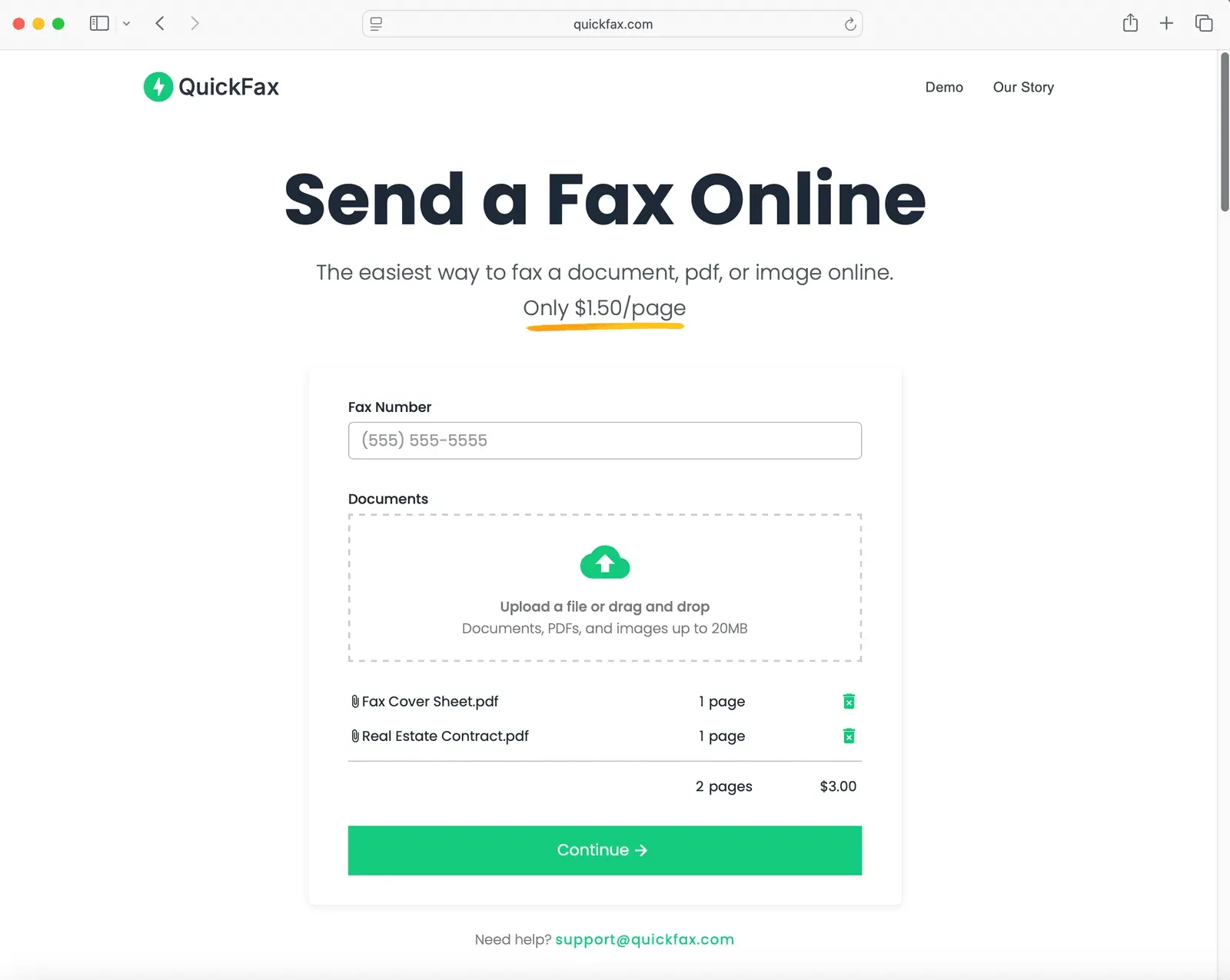
- Zero-account workflow. Senders enter a destination fax number, attach files, and continue to checkout. No name, address, password, or profile is required at any point.
- Broad document support. The uploader accepts PDF, DOC, DOCX, JPG, PNG, TIFF, and HEIC files up to 20MB, so scanned pages and phone photos work alongside standard office documents.
- Live status and email confirmation. After checkout, a status page tracks the transmission in real time, and QuickFax emails a delivery confirmation once the receiving machine acknowledges the document.
- Optional cover sheet. A single toggle appends a formatted cover page, which is useful for legal, government, and medical correspondence that expects one.
- Security and retention controls. Files are encrypted with 256-bit AES at upload, transmitted over TLS 1.2, and automatically deleted once the fax is delivered or fails.
How the Sending Flow Works
QuickFax compresses the fax process into four steps: enter the fax number, upload or photograph the documents, optionally add a cover sheet, then continue to payment. There is no dashboard to learn and no onboarding sequence, because nothing about the session persists beyond the transmission itself. The service runs entirely in the browser, which means the same interface works on a desktop, an iPhone, an Android handset, or a tablet without an app install. On mobile, the camera can capture a document directly, a small detail that removes the need to scan first. Once payment clears, the fax begins and the status page updates live until delivery is confirmed by email.
Pricing and Positioning
QuickFax positions itself against a market that, in the founder's account, pushes every visitor toward an account and a subscription before sending anything. The pricing model is deliberately narrow: $1.50 per page, charged once, with no monthly floor and no seat count. That structure suits the occasional sender well, since a four-page filing costs $6 rather than a recurring $10 to $20 monthly plan. The trade-off is symmetric, and QuickFax does not hide it. Anyone sending dozens of pages per week would spend far more than a bundled subscription from a legacy provider such as eFax or Dropbox Fax, and the absence of a free tier or free trial means cost-sensitive users comparing against ad-supported services like FaxZero will find QuickFax on the paid side. The company addresses this directly with comparison pages aimed at that exact decision. For the single-transmission case, the flat rate lands roughly in line with what a staffed copy shop counter charges, minus the drive and the queue.
Use Cases
- One-off government filings. A taxpayer who needs to submit a signed form to the IRS or the SSA can photograph the pages on a phone and send them within minutes, avoiding a trip to a store.
- Small business paperwork. An independent contractor without a fax line can transmit a signed contract, invoice, or insurance document and keep the emailed delivery confirmation on file as a receipt.
- Medical and legal correspondence. Patients and paralegals sending records to a clinic or court can add a cover sheet, watch delivery status live, and rely on automatic deletion to limit exposure of sensitive information.
Frequently Asked Questions
How much does QuickFax cost? QuickFax charges $1.50 per page with no subscription, no monthly fee, and no setup cost, so a five-page fax costs $7.50.
Is there a free plan or free trial? No. QuickFax is a strictly pay-per-use service and offers no free tier, trial period, or ad-supported option.
Do users need an account to send a fax? No account is required. Senders supply only a destination fax number and the documents, and no profile or password is created.
Who is QuickFax best for? It suits occasional faxers such as individuals, freelancers, and small businesses that send a handful of documents per year and do not want a recurring online fax subscription.
Pros & Cons
Pros
- Flat $1.50 per page pricing removes subscription commitments and monthly minimums entirely.
- No account, password, or personal profile is required, so a fax can be sent in minutes from the landing page.
- Works in any browser on desktop, iPhone, Android, and tablet, with camera capture for paper documents.
- Live status tracking plus an emailed delivery confirmation gives verifiable proof of transmission.
- 256-bit AES encryption on upload, TLS 1.2 in transit, and automatic file deletion after delivery or failure.
Cons
- No free tier or free trial exists, which makes it harder to evaluate against ad-supported or bundled fax services.
- At $1.50 per page, frequent or high-volume senders would pay considerably more than a flat monthly subscription plan.
- The service is fax-only with no API or bulk sending path, limiting its usefulness for teams and automated workflows.